

Find the correct ROM chip of the Toshiba HDD PCB: G3626A
When users try to read the other similar chips, they are empty.
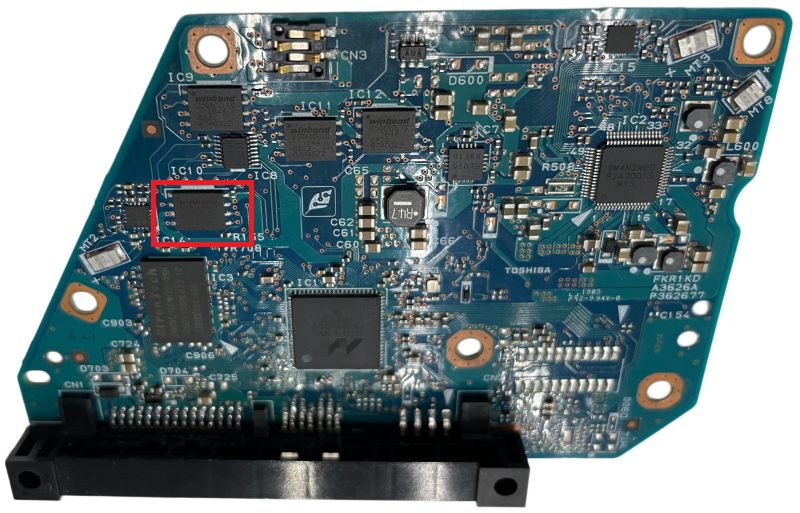
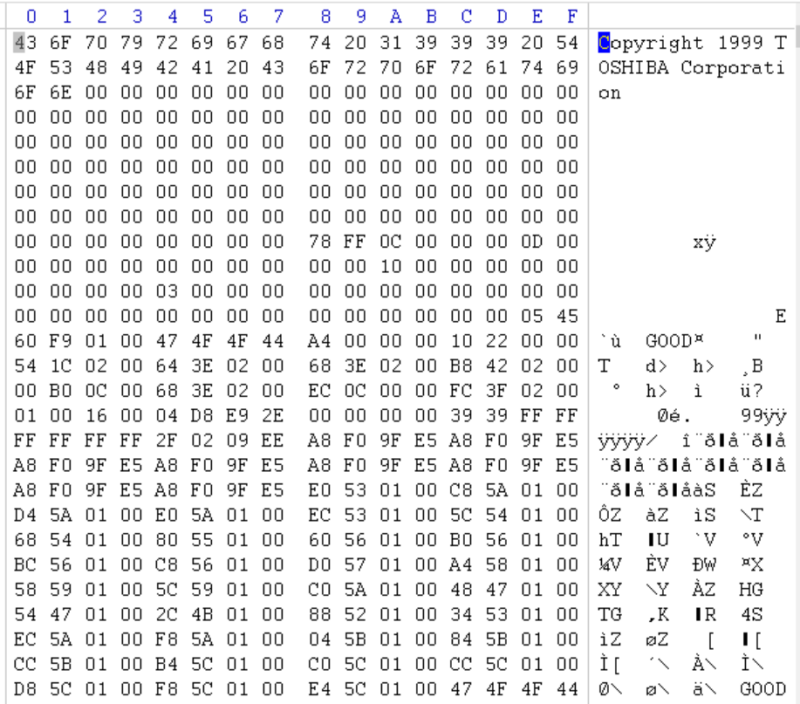
Users can repair Toshiba hdd firmware corruption by DFL Toshiba HDD Repair Tool and recover the lost data by DFL DDP Data Recovery Equipment.

DFL-DDP Data Recovery Software Upgrade
To create task by HDD ID with special characters is improved;
New firmware module 190 repair solutions are added for WD SMR HDD high success rate recovery: format repair; Missing nodes repair; Slow repair;
WD SMR HDD selective head image enhancement(for smrs hdds with unused heads)
File directory read by FS is added;
LBA range setting is added for image statistics;
Edit head map in RAM has been further improved;
One SSD common repair solution has been added;
WD HDD Firmware Repair Upgrade
More SMR HDD Unlock for firmware repair and data recovery has been added;
New family getting and displaying algorithm is added;
Head map editing is improved.
ST HDD Firmware Repair Upgrade
Seagate ROM read and write is improved for new familes;
Seagate C6 C8 firmware unlock and recovery is improved;
SS HDD Firmware Repair Upgrade
Improve editing HDD ID
The new software will be released in the Dolphin user-only forum.

Dolphin Data Lab keeps working hard as always to release new and improve existing data recovery tools and solutions. The following is the latest features within the latest DFL ssd firmware repair software.
>Language file support makes it possible to convert Dolphin data recovery tools from English version to other versions;
>Multi-chip data structure interaction ssd recovery is supported;
>View and edit ssd resources and save current operation data;
>ps3109:
1: Three new ps3109 SSD controllers are supported for firmware repair and data recovery;
2: Five new ps3109 flash memory chips’ detection is added;
3: Two new ps3109 SSD translator generation algorithms are added;
4: Old ps3109 SSD translator generation algorithm is improved.
>ps3110:
1: One new ps3110 SSD controller is supported for firmware repair and data recovery;
2: Three new ps3110 flash memory chips’ detection is added;
3: One new ps3110 SSD translator generation algorithm is added;
4: Old ps3110 SSD translator generation algorithm is improved.
>ps3111:
1: Four new ps3111 SSD controllers are supported for firmware repair and data recovery;
2: Three new ps3111 flash memory chips’ detection is added;
3: Three new ps3111 SSD translator generation algorithms are added;
4: Old ps3111 SSD translator generation algorithm is improved.
5: SSD data read by DDP is improved;
6: SSD firmware read is improved;
>SM
1: SM2259XT2 support is added;
2: 2258H/2258G support is added;
3: 2258XT translator generation is improved;
The new software version is available soon finally and users can request the new version to try first before final release from your sales representative.

Head Replacement Tools For HDD Heads Parking on one External Bracket
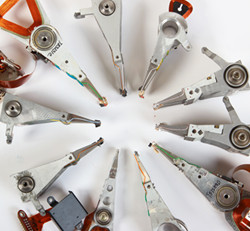
Western Digital HDD Head Combs Suite
Seagate HDD Head Combs Suite
Hitachi HDD Head Combs Suite
Toshiba HDD Head Combs Suite
Level 2 Advanced HDD Head Comb Suite contains Seagate, WD, Samsung, Toshiba, Hitachi,Fujitsu head replacement tools/combs which are very cost-effective;
Western Digital Slim HDD Head Comb Suite.Advanced
WD10SPCX, WD10S12X , WD5000MPCK, WD5000M22K, WD5000MTCK, WD5000M13K, WD5000M21K, WD7500L12X
Seagate LM Slim HDD Head Comb Suite.Advanced
st500lm030 st1000lm035 st1000m037 st1000lm038 st1000lm048 st2000lm007 st2000lm009 st2000lm010 st2000lm015
Scratched HDD Head Comb Suite Pro.contains
S-1-DM003-010 Scratched HDD Head Comb Set,
ST-1-11-12 Scratched HDD Head Comb Set,
WD-1 Scratched HDD Head Comb Set
Seagate Head Replacement Tools for 7200.11 and 7200.12 contains
Plastic head comb for 1 platter, 2 pieces;
Plastic head comb for 2 platters, 2 pieces;
Plastic head comb for 3 platters, 2 pieces;
Plastic head comb for 4 platters, 2 pieces;
Seagate 7200.10 11 12 LP SV35.5 Head Replacement Tool for 1 platter, 1 piece;
Seagate 7200.10 11 12 LP SV35.5 Stuck Head Release Tool for 1 platter, 1 piece
For some old hard drives,users usually use level 1 head comb suite.
Head and Platter Swap and Clean Suite. Plus contains the following:
01: Head and Platter Swap and Clean Suite. Super
02: Premium Video-How to Clean Hard Drive Platters
03: Premium Video-How to Adjust HDD Motor Balance

HDDs using PCB 2060-810082:
WD20JDRW-11C7VS0, 810082-000
WD20JDRW-11C7VS1, 810082-000
HDD Family: FBLite2
WD 2060-810082 SATA HDD Firmware Unlock PCB
WD PCB 810082 HDD Firmware Repair Tool: DFL WD HDD Firmware Repair Tool
Users can repair WD HDD firmware module damage, reset smart, remove password, edit HDD ID, etc.
WD PCB 810082 HDD Data Recovery Tool: DFL DDP Data Recovery Equipment
Users can repair module 190, auto load T2data, image WD HDDs with weak heads, bad sectors, common firmware failures, can extract lost partitions, folders, files, etc;
WD PCB 810082 SMR HDD Head Replacement Tool
WD 810082 USB-SATA Adapter Smart
G3 WD SMR HDD 810082 USB-SATA Data Recovery Adapter Pro.
Chip-on HDD Flash Programmer Smart/HDD ROM Chip Pin Reader
Users don’t need to solder ROM chips off and read rom chip directly, super easy for WD SMR HDD ROM read and write
HDDs using PCB 2060-810052:
WD80EDAZ-11CEWB0
WD80EAAZ-00BXBB0
WD80EFPX-68C4ZN0
WD8002FZBX-00C9HA0
PCB number: 2060-810052-002 REV P1
810052 families:
AvalonRP
WD 2060-810052 HDD Firmware Unlock PCB-3C Version
WD 2060-810052 HDD Firmware Unlock PCB-5C Version
WD HDD PCB 810052 HDD Repair Tool: DFL-SRP USB3.0 For WD Firmware Repair
WD HDD PCB 810052 Data Recovery Tool: DFL-SRP USB3.0 For Data Extraction