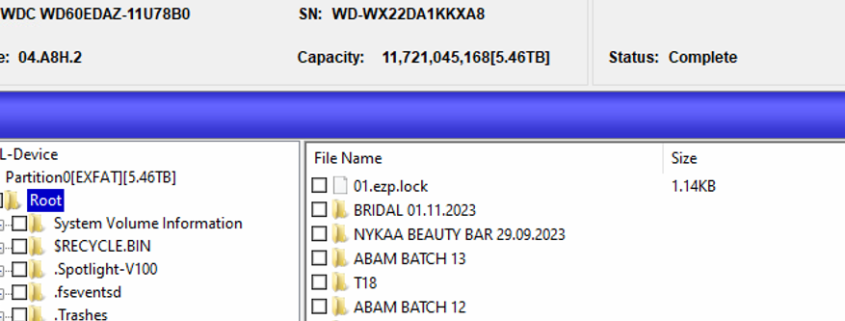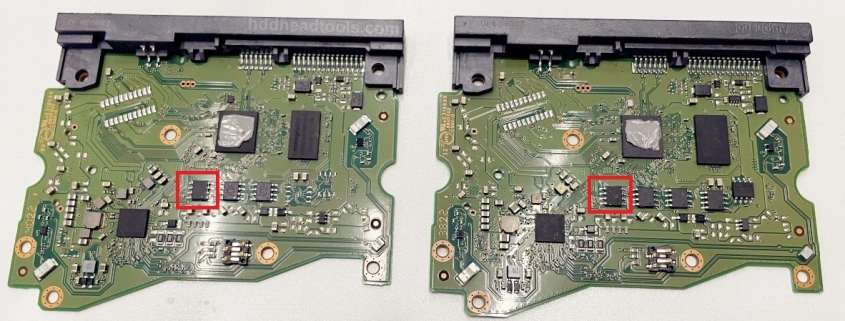
Unique WD SMR HDD Original ROM Missing and Data Encryption Solution is available for data recovery engineers worldwide.

Fix Cases Others Cannot Fix!

When the original ROM of WD SMR HDD is missing or corrupted or the rom chip is downgraded or physically damaged or burnt, the patient hdd doesn’t spin up or generate unusual sounds like clicking noises.

When the WD SMR drives suffer above failure, users will need to get solution to spin up the patient hdd and fix the date encryption issue.

This premium data recovery solution contains one pdf and one video to offer the requested data recovery solution for such WD SMR patient drives with corrupted rom!

Note: to recover the lost data from WD SMR HDDs, users need to make sure the original MCU is good, not burnt or physically damaged.

Fix cases others cannot fix! Unique WD SMR Undetected and Scratched HDD Data Recovery Solution is available for data recovery engineers worldwide.

For WD SMR drives, if one head is damaged physically, the whole head stack is gone, the patient drive gets undetected and busy.

For WD SMR hard drives, if the platters are scratched, some heads are totally damaged, to recover the lost data, what to do then?

Please note: to recover lost data from scratched hard drives, specially WD SMR drives, beginners in data recovery field are not recommended to buy this solution because the success rate is affected by many factors, not only the method of accessing the key technology, for example, users need to have good skills of head and platter swap, platter and heads cleaning, platter alignment, hdd inner environment cleaning, firmware repair skills, etc.

Learn more about this Unique WD SMR Undetected and Scratched HDD Data Recovery Solution here.

New year 2026, new software upgrade, new firmware repair and data recovery solutions for all Dolphin users for your higher success rate!

DFL all-in-one Data Recovery Software-V2.6 is available for data recovery engineers worldwide and users can go to the Dolphin user-only forum to download the latest software.

What’s new in this new software?

00: Common quick firmware repair solution-WD SMR HDD DWF error fix, one click fix and get lost data back;

01: New WD SMR structured 190(three new types of 190) auto repair solution was added;
02: Users can import donor 190 for reference to repair severely damaged 190;
03: Improve the T2 generation algorithm for more successful PBA read after the files are deleted;
04: Improve the 190 repair algorithm, faster repair, higher repair success rate;
05: Fix one bug of T2 Loading failure for some drives;
06: Improve the 190 repair solution when 190 has bad sectors with some empty nodes;
07: Improve SMR selective head image;
08: Improve file image;
09: Improve image to file solution;
10: Improve USB HDD read ability;

11: Able to copy the model number, FW version, SN number of source and target drives;
12: Scan lost partitions and data of unallocated area;
13: Improve slow file listing due to the bitmap initialization;
14: New Seagate hdd families unlock;
15: New WD SMR hdd families unlock: VENRP2LP, FBLITE2, SPYG3, VENRP2L, VENRP2LP, AVALONRP;
16: Improve exfat file system analysis;
17: Improve GPT partition analysis;

18, To edit HDD ID for new WD 8x00xx series is added;

Any question is welcome to sales[at]dolphindatalab.com.

Dolphin users are using DFL-WD hdd firmware repair tool to repair and recover more and more different WD SMR hdd data recovery cases other tools cannot fix.

Now Dolphin team have worked out another new and unique WD SMR HDD DWF Invalid Data Quick Repair Data Recovery Solution which will be available within DFL-DDP data recovery software. Users just need simple clicks to fix the failure and get the lost data back.

The following is one sample video of the WD SMR HDD DWF Invalid Data Quick Repair Data Recovery Solution

WD PCB 800038 800025 HDD Firmware Repair and Data Recovery Tools

WD PCB 800041 810012 800022 SMR HDD Firmware Repair and Data Recovery Tools

WD PCB 800066 800069 800086 SMR HDD Firmware Repair and Data Recovery Tools

WD PCB 800065 800067 810003 SMR HDD Firmware Repair and Data Recovery Tools

WD PCB 810011 810051 SMR HDD Firmware Repair and Data Recovery Tools

WD PCB 800077 SMR HDD Firmware Repair and Data Recovery Tools

WD PCB 810030 810033 810035 810067 SMR HDD Firmware Repair and Data Recovery Tools

WD PCB 810082 WD20JDRW SMR HDD Firmware Repair and Data Recovery Tools

This is one advanced proven data recovery solution or tip to recover lost data from Western Digital SMR scratched hard drives.

For WD SMR drives, if one head is damaged physically, the whole head stack is gone, the patient drive gets undetected and busy.

For WD SMR hard drives, if the platters are scratched, some heads are totally damaged, to recover the lost data, what to do then?

Please note: to recover lost data from scratched hard drives, specially WD SMR drives, beginners in data recovery field are not recommended to buy this solution because the success rate is affected by many factors, not only the method of accessing the key technology, for example, users need to have good skills of head and platter swap, platter and heads cleaning, platter alignment, hdd inner environment cleaning, firmware repair skills, etc.

Get this Unique WD SMR Scratched HDD Data Recovery Solution now

Please note: it’s not possible to recover 100% data from scratched hard drives. The basic principle is to recover all good sectors first and then weak sectors and then bad sectors, etc.

For many WD SMR patient drives, the weak heads or bad sectors data recovery cases are very common and selective head image is very necessary and used a lot.

To run selective head image for WD SMR drives, users can follow the steps below:

01: Unlock the SA by writing unlock rom or swap the original PCB with firmware unlock PCB;
02: Disable 411 in kernel mode and restart firmware;
03: Backup T2Data and module 190;
04: Set up disk image task, select Head Map and select 190 or T2 data to set up head map;
05: After head map is set up, users can select good heads to image first and then weak heads.

To recover lost data from WD SMR formatted HDD, the PC users need to stop the power immediately and stop working on it any further, specially stop writing any new data on the formatted hdd. As for data recovery engineers, they need to bypass the firmware read(disable 411) firstly, backup the important firmware modules, specially the module 190.

HDD Firmware Repair Tools and Data Recovery Tools Required To recover lost data from formatted WD SMR HDDs:

DFL-WD HDD Firmware Repair Tool
DFL-DDP Data Recovery Equipment

Steps to recover lost data from WD SMR Formatted HDD:

01: MCU unlock by writing unlock ROM with HDD ROM chip pin reader or swap with firmware unlock PCB;
02: Enter secured firmware operations mode to avoid the dynamic translator corruption;
03: Backup the dynamic translator module 190 and repair 190 automatically to get a good copy of T2Data;
04: Accelerate the firmware loading process;
05: Test firmware modules and repair found corrupted modules;
06: Load T2Data to RAM(Auto mode) to access the data area fully.

The following are some example videos or related videos to recover lost data from WD SMR formatted HDDs:

WD SMR HDD Palmer 800066 800069 Format Data Recovery
WD SMR HDD 1.5T Data Recovered From 0.03GB Patient HDD by Module 190 Auto Repair

This is one more successful undetected Western Digital hard drive firmware repair and data recovery case study from one Dolphin user in the USA.

Patient HDD ID:

WD40NMZW-11GX6S1
PCB: 800041

Patient HDD Failure Symptoms:

01: Patient HDD ID was not detected;
02: Firmware modules were not available;
03: Data area was not accessible.

HDD Firmware Repair Tool and Data Recovery Equipment Used in this case study:

01: DFL-WD HDD Firmware Repair Tool;
02: DFL-DDP data recovery equipment

WD40NMZW 800041 Undetected HDD Firmware Repair and Data Recovery Steps:

01: Backup original ROM by HDD ROM chip pin reader;
02: Swap with one 800022 firmware unlock PCB and wrote the original ROM to the unlock PCB;
03: Disable 411 to enter WD firmware repair software and test firmware modules and found key modules such as 03, 31, 40 are bad, 190 module couldn’t be read as well in copy 0 and found out copy 0 had bad sectors;
04: Backup key modules in copy 1, backup valid data of 190 in copy 1 successfully;
05: Shift the bad key modules to vacant tracks and then wrote the backup key modules to copy 0;
06: Fix the SMR slow issue by DFL-WD and DDP;
07: Enable 411 and entered DFL-DDP data recovery software and users could access all the lost partitions and folders.

Video case study and free WD SMR hdd data recovery training video: WD40NDZW 11BHVS1 WD SMR 810033 Undetected HDD Data Recovery Steps

Top recommended WD SMR 8x00xx HDD USB to SATA adapters for best success rate.

Must-read WD SMR HDD Data Recovery Cases and Tips

To all Dolphin DFL users:

Recently we have received many WD SMR hdd data recovery cases by remote support system from Dolphin users worldwide and Dolphin engineers have found many issues and wrong operations from users’ side:

01: Some users get one patient WD SMR HDD and go to extract lost data directly without doing any firmware backup or further diagnosis;
02: Some users backup firmware modules directly without disable 411, this adds to the risk of damaging original module 190;
03: Some users use the same firmware repair concept for old WD drives to repair WD SMR drives without firmware backup;
04: Some users receive failed WD SMR HDD cases from other data recovery companies without any original firmware backup. The user needs to remind the hdd owner to ask for the first copy of firmware modules, specially the original module 190, otherwise, it can be not possible to recover the lost data;
05: Some users extract the files directly instead of imaging the patient unstable HDD. This adds to the risk of further damage to heads or surfaces.

Correct Steps to Recover Lost Data from WD SMR HDDs:

01: Unlock firmware area by writing unlock rom to original pcb or change one sata firmware unlock pcb;
02: Disable 411 and backup 190 and T2data;
03: Backup other important firmware modules;
04: Test firmware modules and find which ones are corrupted;
05: Repair damaged firmware modules;
06: Repair WD SMR HDD slow issue, please note not the common slow fix, use the special WD SMR hdd slow repair solutions;
07: Load T2data to RAM if necessary after entering DFL-DDP data recovery software;
08: Set up head map for patient HDD and image good heads first;
09: Image patient HDD.

Top recommended WD SMR 8x00xx HDD USB to SATA adapters for best success rate.

Any question is welcome to sales[at]dolphindatalab.com and this is also the teams ID for live support.