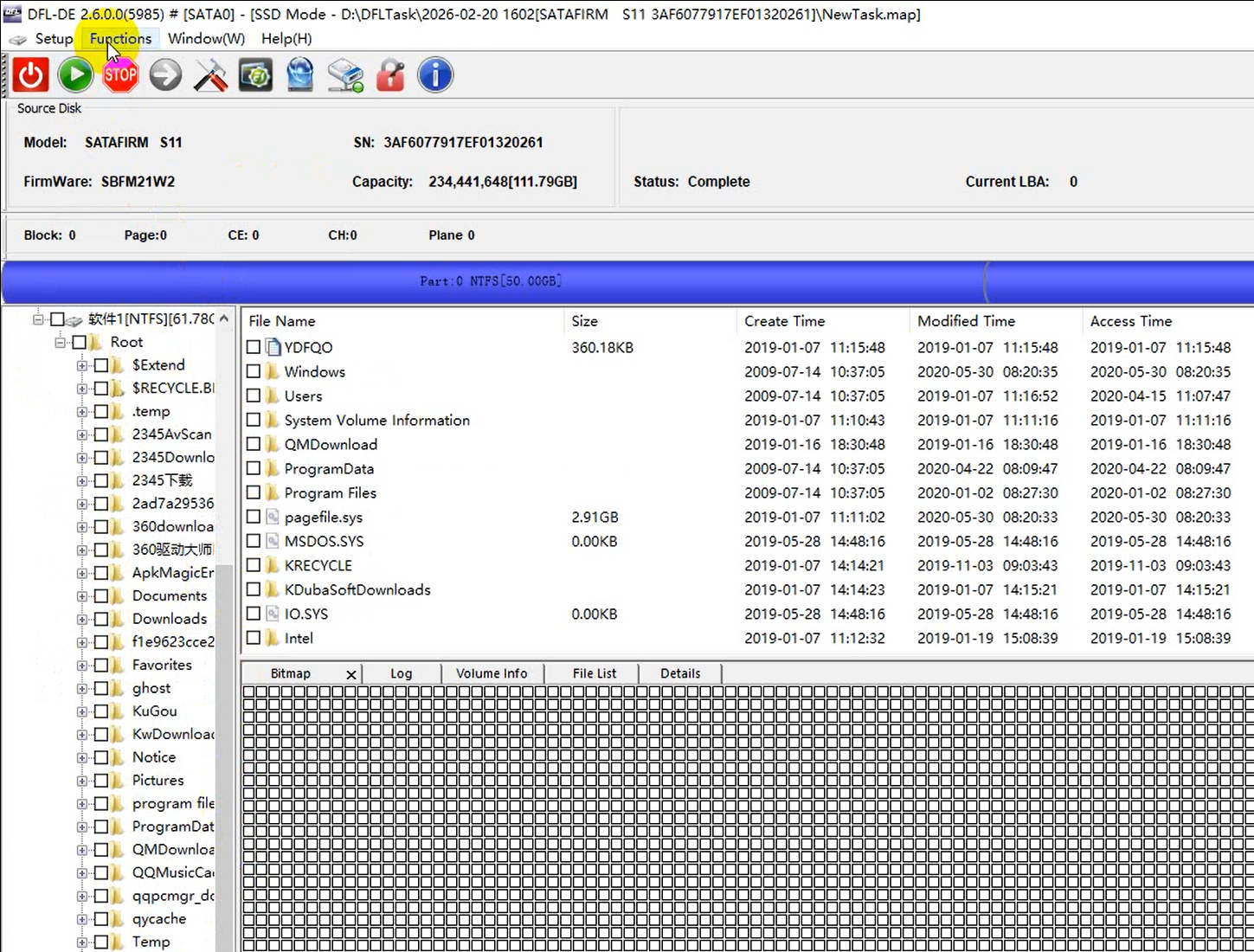
Data Recovery Tools Used:
–DFL-DDP data recovery software
-DFL-SSD firmware repair software
SSD Data Recovery Steps 2026:
01: Open DFL-SSD firmware repair software, power on patient ssd, wait until ready(short to get ready when necessary);
02: Enter DFL-SSD firmware repair software, click LOD icon;
03: Switch to safe mode;
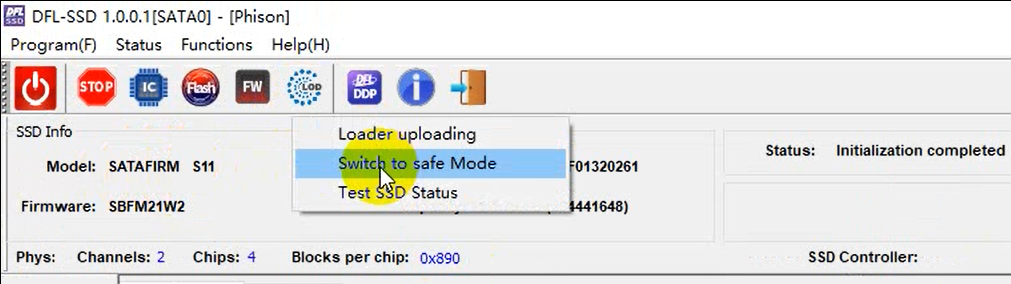
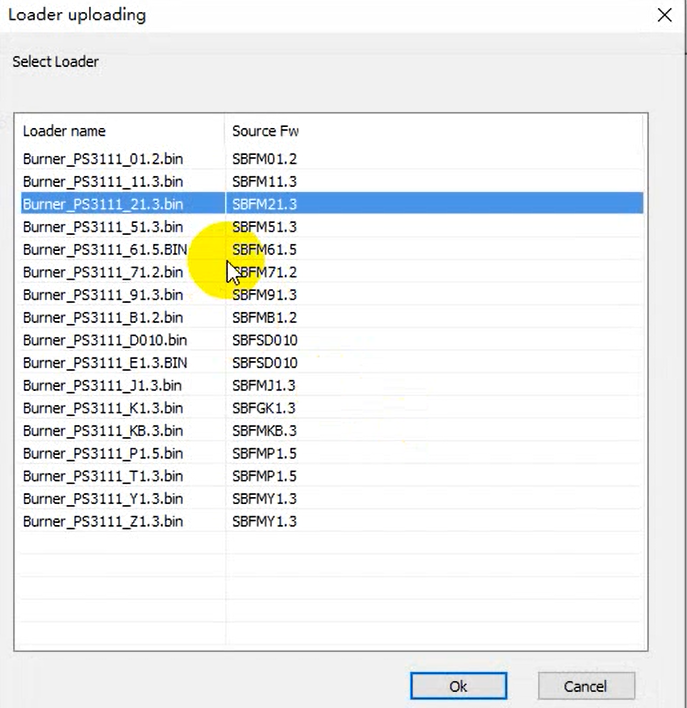
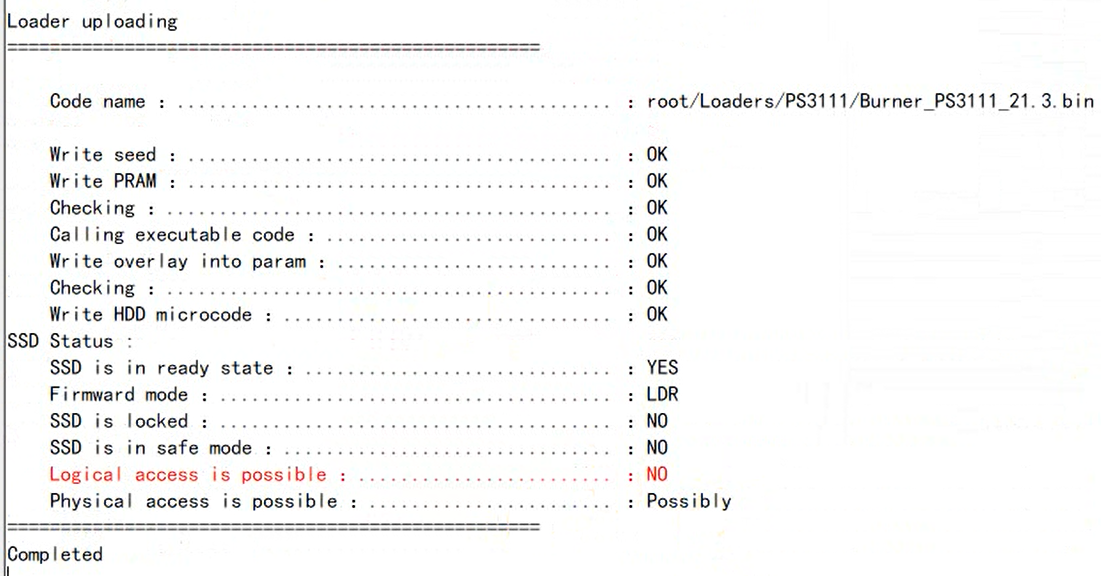
04: LOD>Loader Uploading(loaders are available within the software), the loader will be automatically selected;
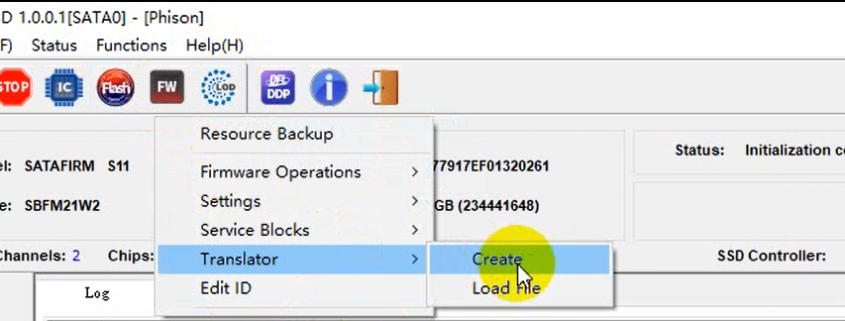
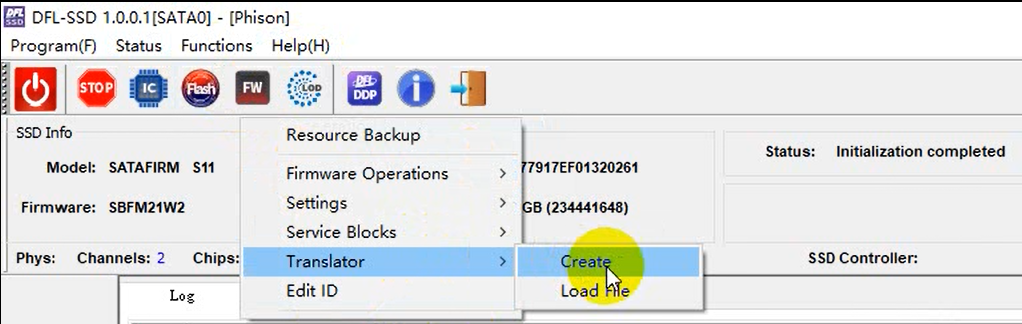
05: Click FW icon, FW>Translator>Create
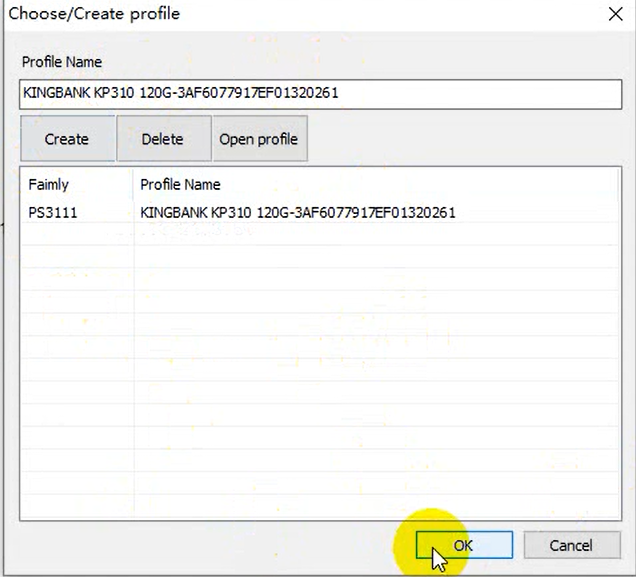
Create/select working directory
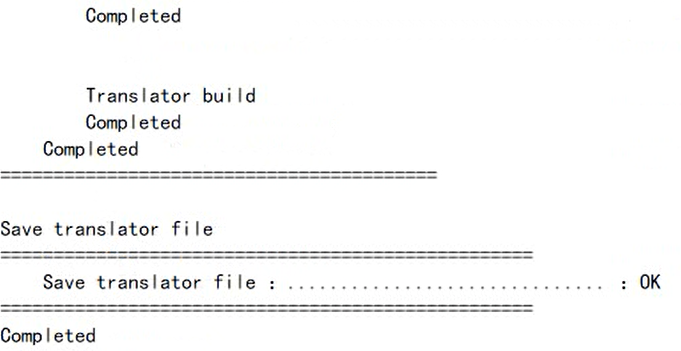
After the translator is created and the translator file is saved successfully, users can see the following messages in the log window:
06: Click DFLDDP icon within the SSD software
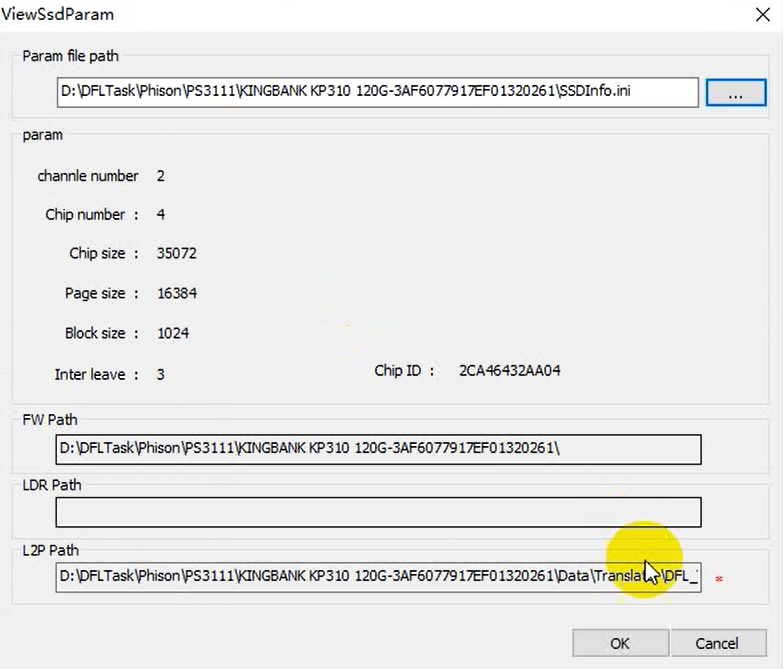
After above setting, users can click ‘ok’ and the software will switch to DFL-DDP data recovery software-file extraction interface. Users can start to extract the lost files directly or run disk image.