

Posts

H0041: software security check code and users need to generate one dongle upgrade file and email to the sales representative to get one licensed file, please download the software to do this one here;

H0027: this error code indicates the use of one unsupported remote support software ‘Remote Desktop’ to access the Dolphin DVR software remotely, users just need to change another remote support software to fix this issue;

Code 740: If users get this error code after installation, users just need to exit the program and re-open the software using ‘Run as administrator’ and this will help to fix the issue;

Code H007: USB hardware dongle is not detected, try to remove the dongle and insert it again or change one USB port to insert the dongle;

Code H0045: The PC system time was manually modified and users need to change the system time to the online time;

Code F7FFFFF: Need to connect to internet/online or users need to download Dolphin DVR offline version;

Code F5FFFFF: users need to upgrade the USB hardware dongle or need to connect to internet;

License upgrade file error 005: The licensed file was used already, users need to generate one new c2v file and get new v2c licensed file to import;

DVR software module can run while other software modules don’t run or if no software modules run: users need to install software running environment-vc_redist.x64-2015 and VC_redist.x64-2017, users can easily get them online or get from your sales representative;

Please note: Dolphin DVR doesn’t run on virtual machines and users need to avoid using Dolphin DVR on virtual machines.
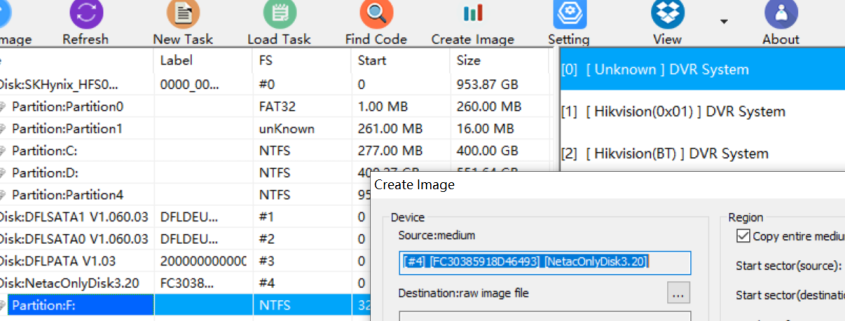
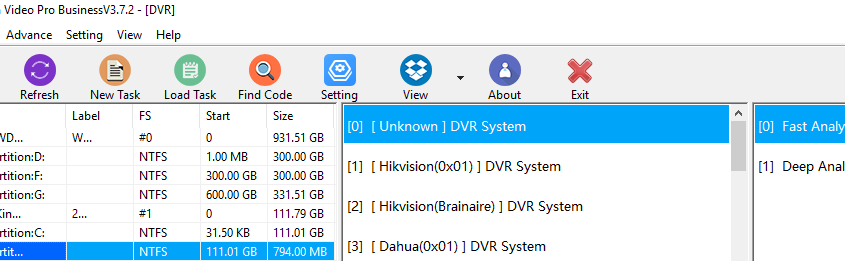
Dolphin team have been working very hard to create new data recovery tools and solutions for all data recovery engineers worldwide for their better data recovery success rate and in this new year 2026, Dolphin team have released its first software upgrade-Dolphin DVR V3.94.

Existing users can download the business version from Dolphin user-only forum and new users can download the latest DVR recovery software v3.94 trial version for free here.

What’s new in Dolphin DVR V3.93?

01: Forensic disk image solution is added;
02: Imaging DVR devices to raw image files(.dd/.001/.img) or E01 file is added;
03: Online realtime checksum is added for forensic image;
04: Compression options are added: Fast  Normal  Best;
05: Split image is added, users can set the size to split the image;
06: Video/camera erasing is added, users can set the periods to erase by 0xFF/0x00/random characters;

07: Hikvision BT raid DVR video recovery algorithm improvement is done;
08: SONY ZV-E1 video recovery algorithm is improved;
09: Police Body-Worn Camera (PBWC)‌ video recovery algorithm is improved;
10: SAGRO video recorder video recovery is added;
11: SONY ILCE 7M5 video recovery algorithm is added;

Users can download this latest Dolphin DVR recovery software V3.94 for free here.

Dolphin Data Lab has worked hard and released new CCTV DVR data recovery software version 3.72.

What’s new in Dolphin DVR V3.72?

DaHua DVR/CCTV video fragmented files collection and restructuring capability is further enhanced, users will get very high success rate of DaHua DVR video recovery;
WFS DVR/CCTV video fragmented files collection and restructuring capability is further enhanced, users will get very high success rate of WFS DVR video recovery;
Canon EOS 550D video recovery is added;
Canon PowerShot G16 video recovery is added;
Sony FDR AX700 video recovery is added.

More CCTV/DVR and digital camera brands are added to support.

Users can download the latest Dolphin CCTV DVR data recovery software V3.72 here.

Any question is welcome to sales@dolphindatalab.com or add Dolphin Skype ID: dolphin.data.lab