
latest news about Dolphin data lab data recovery tools, data recovery training courses, data recovery solutions.

Here is a list of videos on Dolphin DVR Pro. product introduction, features and case studies.

Dolphin DVR users can make best use of the following free training videos and documents to have a higher data recovery success rate of CCTV DVR, digital cameras, video repair and forensic disk image.


Latest Professional CCTV DVR Digital Camera Video Recorders Recovery Tool

How to Recover Lost Videos From One Unknown DVR Drive
How to Recover Lost Videos from Unknown Digital Cameras
How to recover deleted lost videos from unknown law enforcement video recorders
How to Recover Lost Videos from Unknown Car Video Recorders
How to Repair Damaged MP4 MOV 3GP Videos
How to Repair Damaged CCTV DVR Videos

How to Recover DVR Lost Videos and Play Videos Properly

How to Recover Lost DVR Videos Quickly

How to Access and Recover Lost Videos from Mercedes Benz Black Box
How to Access and Recover Lost Videos from DJI UAV Digital Cameras;

DJI Mavic3 UAV Video Data Recovery Steps
DJI Mavic3Pro UAV Video Data Recovery Steps
DJI OsmoAction4 UAV Video Data Recovery Steps

Hikvision CCTV DVR Video Recovery Steps
How to Access and Recover Lost Videos from DaHua CCTV DVR Systems
How to Recover Lost Videos from Korea kttelecops CCTV
How to recover deleted lost videos from WFS DVR video system
New CCTV DVR Video Analysis Solution for Best Success Rate

How to Recover Lost Deleted Videos from HanBangGaoKe DVR System
How to Recover Lost Deleted Videos from HuaYi DVR System
How to Recover lost deleted videos from ZhiLing DVR System
How to recover lost deleted videos from Uniview 0x1C DVR system
How to recover lost deleted videos from Uniview 0x11 DVR system
How to Recover Lost Deleted Videos from TP Link DVR System
How to Recover Lost Deleted Videos from HongWeiShiJie DVR System

Alexa ARRI Mini Digital Camera Video Data Recovery Steps
SANYO S7 jpeg digital camera video data recovery steps
OLYMPUS DIGITAL CAMERA D4220 jpeg video data recovery steps
KODAK V550 h264 digital camera video data recovery steps
Cannon LEGRIA HF R706 h264 digital camera video data recovery steps
Panasonic DMC GX85 h264 digital camera video data recovery steps
NIKON COOLPIX P510 h264 digital camera video data recovery steps
NIKON COOLPIX S6 jpeg digital camera video data recovery steps
NIKON COOLPIX S6300 h264 digital camera video data recovery steps
NIKON D7200 h264 digital camera video data recovery steps
NIKON L120 h264 digital camera video data recovery steps

Panasonic DC S5M2 H264 Digital Camera Video Data Recovery Steps
Nikon COOLPIX P3 JPEG digital camera video data recovery steps
NIKON D7000 h264 digital camera video data recovery steps
NIKON D3100 h264 digital camera video data recovery steps
NIKON Z30 h264 digital Camera video data recovery steps
KODAK M893 JPEG Digital Camera Video Data Recovery Steps

KODAK Z1012 IS Digital Camera Video Data Recovery Steps
NIKON COOLPIX W300 H264 Digital Camera Video Data Recovery Steps
Nikon S9100 H264 Digital Camera Video Data Recovery Steps
Panasonic DC GH5 H264 Digital Camera Video Data Recovery Steps
Nikon Z9 H265 Digital Camera Video Data Recovery Steps
Nikon Z6 H264 Digital Camera Video Data Recovery Steps

Sony Catalyst Unknown Digital Camera Video Data Recovery Steps
Sony ILCE 7C H264 Digital Camera Video Data Recovery Steps
Sony ZV E1 H264 Digital Camera Video Data Recovery Steps
Sony ILCE 7RM3 H264 Digital Camera Video Data Recovery Steps
Sony ILCE 7RM4 H264 Digital Camera Video Data Recovery Steps
Sony ILCE 7SM2 H264 Digital Camera Video Data Recovery Steps
Panasonic DC GH5S Digital Camera Video Data Recovery Steps
Sony PMW EX1R Digital Camera Data Recovery Steps
Sony ILCE 7M3 Digital Camera Data Recovery Steps

Sony PXW X280 Digital Camera Data Recovery Steps

How to Recover Lost Videos From Sony ILME FX30 Digital Cameras
How to Recover Lost Videos From JVC GY HM200 h264 Digital Cameras
How to Recover Lost Videos From Panasonic DC S5M2 h265 Digital Cameras

How to Recover Lost Videos Perfectly from Sony DSC RX10M4 h264 Digital Cameras
How to Recover Lost Videos Perfectly from Sony ILCE 7M4 H264 H265 Digital Cameras
How to Recover Lost Videos Perfectly from Sony ILCE 7RM4 Upgraded H264 Digital Cameras
How to Recover Lost Videos Perfectly from SONY ILCE 7SM3 h264 h265 Digital Cameras
How to Recover Lost Videos Perfectly from SONY ILCE 7M3 h264 Digital Cameras
How to Recover Lost Videos Perfectly from SONY ILME FX3 h265 Digital Cameras
How to Recover Lost Videos Perfectly from SONY FDR AX700 h264 Digital Cameras
How to Recover Lost Videos Perfectly from Sony DSC RX10M2 h264 Digital Cameras
How to Recover lost videos perfectly from Sony ILCE 1 h264 h265 Digital Camera
How to Recover Lost Videos Perfectly from SONY HXR NX80 h264 Digital Camera

How to Recover Lost Videos from Canon Digital Cameras;
How to Recover Lost Videos from Panasonic Digital Cameras
How to Recover Lost Videos from Sony Digital Cameras
How to Recover Lost Videos From BlackMagic Digital Cameras

Latest Free But Professional CCTV DVR Video Player Version 2.03

Dolphin Spring Festival holiday is coming and it will last from Feb.15 2026 to Feb.23, 2026.

During the holiday, the remote support is not available but all orders received will be arranged on Feb.24, 2026 and all emails will be checked regularly and Dolphin team will answer as soon as possible.

Best order time:

Before Feb.15, 2026
After Feb.23, 2026

Order data recovery hardware tools here
Order hdd head replacement tools here

Users can email to us with your order request and Dolphin team will give you the best offer with gifts during this holiday.

Users can also post your questions in Dolphin user only forum: https://forum.dolphindatalab.com/

Any question is welcome to sales【@】dolphindatalab.com or add teams ID with the same email address.

‘Hello,

I am interested in purchasing a hardware/software solution specifically for refurbished Seagate HDDs.

My primary requirement is to modify S.M.A.R.T. attributes, specifically Power-On Hours (POH) and Power-On Count, on Seagate IronWolf 8TB drives (F3 Architecture, e.g., ST8000VN004).

I am looking for an entry-level, cost-effective tool that can perform the following:
-Unlock the Diagnostic Port (Terminal) for modern Seagate F3 drives.
-Edit/Reset POH and SMART logs in the System Area (SA).

-Recalculate Checksums automatically to avoid firmware corruption.

Could you please recommend the most affordable tool (e.g., DFL-SRP or a USB-based specialized adapter) that supports these specific operations for the IronWolf family? Also, please specify if the software requires a recurring subscription or if it is a permanent license.

Looking forward to your quotation and technical advice.

Best regards,’
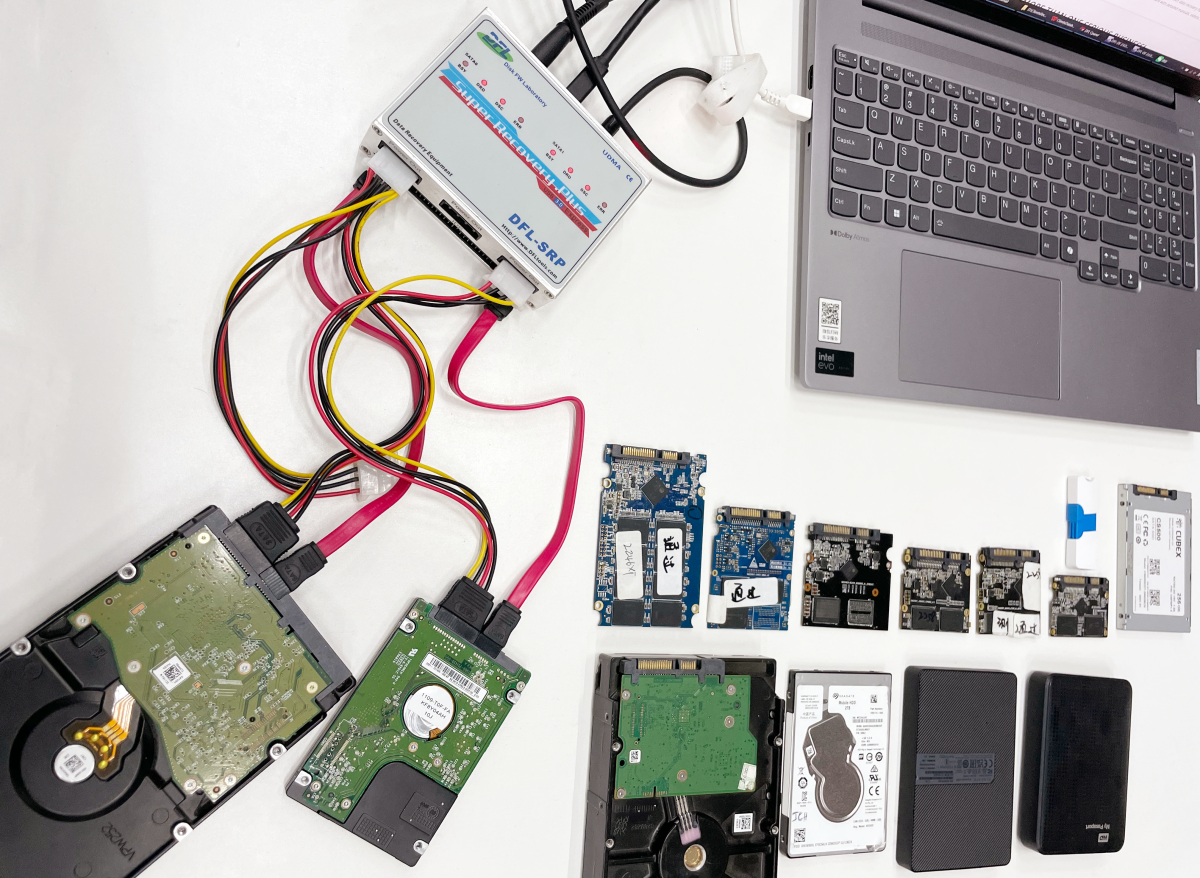
DFL-SRP USB3.0 Seagate HDD Repair Tool is able to backup, edit and repair the firmware corruption.
Users can reset smart, can unlock the com terminal and execute commands in the com terminal. Firmware read, edit and write with new auto checksum is enabled.

Dolphin DVR Pro. is very friendly to all digital forensic investigators who are trying to access and recover the video evidences from CCTV, DVR, NVR, HVR, digital cameras, video recorders, etc.

The following are some core CCTV DVR digital forensic video recovery features:

Latest forensic recovery solution added on Jan.18 2026: Forensic disk image solution has been added.

1, Write block is enabled on operations of all Dolphin DVR Pro;

2, Complete forensic checksum solution:
CRC16 / CRC16-CCITT / CRC32 / FCS16 / FCS32
GHASH32-3 / GHASH32-5
GOSTHASH
HAVAL-5-256
MD2 / MD4 / MD5
SHA1 / SHA256 / SHA384 / SHA512
TIGER

3, Detailed report on the video recovery case;

4, Users can save and clear logs;

5, Intelligent DVR brand auto detection tech. is used;

6, One-stop all in one video recovery and video repair solution is used;

7, Cutomizable video recovery solution, users can easily filter the bad and overwritten videos, can set the dates and time to recover, etc;

8, Professional but free CCTV DVR raw video player is offered to digital forensic recovery engineers worldwide.

Any question is welcome to sales[@]dolphindatalab.com or add Dolphin teams ID: sales[@]dolphindatalab.com

Forensic disk image software and solution is available for free within Dolphin DVR Version 3.94 and all Dolphin DVR users can download this latest CCTV DVR data recovery software in the user-only forum.

This digital forensic imaging software is to image the original CCTV DVR devices, digital cameras, video recorders to image file. The image file format can be dd, img, 001 raw image file format or can be also E01 forensic image file format.

Users can select the checksum types: MD5, CRC32, SHA-1, SHA-256 to check all the imaging sectors according to request.

Users can select different compression methods-none, fast, normal, best to compress the image file.

Users can split the image file to multiple sections.

How to Create Forensic Disk Image E01 File

“Hello,

I’m from Poland in Europe, EU here.
I have a small PC & Apple Repair company for almost 20 years and do get data recovery requests often.

I mainly repair Macs so its mainly apple ssd but from time to time also some hdd and other ssd like samsung 850 , 870, 980, etc

Before I heard about some tools which are very expensive and to be honest not quite ready to recover data from APPLE SSD drives which died completely and disappeared.

At the moment I have an SSD 256GB drive from Macbook A1708 2016 which is model 656-0044A
Laptop worked OK without problems and then drive disappeared completely.
It is not showing under any MacOS (older included), not showing under windows, linux or macOS recovery at all.

Drive disappeared and from I read on the internet it could be controller problem which most companies using existing data recovery tools are not able to bypass.

Not sure if you can but hope so cause your apple adapters set looks promising.
I have a few questions:
1. What would be the b2b price to diagnose and then recover the data in your company from this a1708 Apple SSD 256 ??
2. Do you have any partners in POLAND or in EUROPE using your equipment and available to do this kind of job with success??
3. What would be the price to get your device and Apple adapters required for recovery mainly for 2013-2017 apple ssd but older ones could be a plus. I am very late to this train and regret not finding you sooner but maybe could still get it if the price is affordable.
4. Do you also offer any solution or service to connect to newer onboard 2018-2026 apple ssd which are soldered to the logic board?”
To answer the client above:
For A1708 apple SSD, pls. check the following:
For APPLE SSD drives which died completely and disappeared, this can be controller damage or board issue or sometimes firmware issue.
For newer apple SSD recovery, due to its special design, the success rate is not high especially when the ssd is dead.

Dolphin team have been working very hard to create new data recovery tools and solutions for all data recovery engineers worldwide for their better data recovery success rate and in this new year 2026, Dolphin team have released its first software upgrade-Dolphin DVR V3.94.

Existing users can download the business version from Dolphin user-only forum and new users can download the latest DVR recovery software v3.94 trial version for free here.

What’s new in Dolphin DVR V3.93?

01: Forensic disk image solution is added;
02: Imaging DVR devices to raw image files(.dd/.001/.img) or E01 file is added;
03: Online realtime checksum is added for forensic image;
04: Compression options are added: Fast  Normal  Best;
05: Split image is added, users can set the size to split the image;
06: Video/camera erasing is added, users can set the periods to erase by 0xFF/0x00/random characters;

07: Hikvision BT raid DVR video recovery algorithm improvement is done;
08: SONY ZV-E1 video recovery algorithm is improved;
09: Police Body-Worn Camera (PBWC)‌ video recovery algorithm is improved;
10: SAGRO video recorder video recovery is added;
11: SONY ILCE 7M5 video recovery algorithm is added;

Users can download this latest Dolphin DVR recovery software V3.94 for free here.

Merry Christmas!

Happy New Year of 2026!

Dolphin team are sending all the best wishes to Dolphin users and their families.
Dolphin team wish all the best and greater success to all Dolphin users in the new year 2026!

By the end of 2025, Dolphin team have helped Dolphin users fix over 6489 data recovery cases by remote support and many Dolphin users have also fixed more cases by themselves!

Congratulations to All Dolphin Users for your data recovery success!

Dolphin team are adding more new data recovery solutions and latest DR techs to the existing data recovery tools and new software upgrade will be available soon in the user-only forum!

You can tell us what data recovery tools, solutions you want and Dolphin team will prepare the best New Year’s Day quote for you!

Find out all data recovery tools and solutions Dolphin team have here

Any question is welcome to sales[@]dolphindatalab.com.
After the users used the Dolphin data recovery tools, firmware repair tools and even head and platter swap tools for some time and then come to Dolphin head office or Dolphin international data recovery training centers to attend the training courses and this is the best time for training and get more skilled in fixing different data recovery cases.

Clients from Ethiopia have attended Dolphin clean room data recovery training courses for 3 days and the following physical hdd recovery training and knowledge have been arranged properly:

01: Detect all physical components which may affect head and platter swap success rate;
02: How to find donor PCB, hdd for different head and platter swap;
03: Besides a good head and platter swap, what else needs to be done to increase the success rate;
04: The core head and platter swap success technologies, tips and steps;
05: Firmware related operations to make head and platter swap more successful;
06: Hands on practice on different hdds and real cases for head and platter swap.

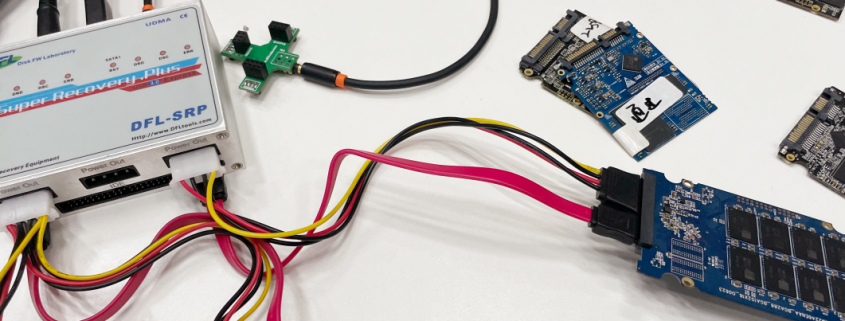
Firmware issue is one common failure for different SSDs, to fix the firmware issue in SSD is mainly to fix the translator.

The following are the general SSD firmware repair and data recovery steps:

01: SSD short connection if necessary(undetected/busy)
02: Select the SSD controller manufacturer, controller ID and SSD family;
03: Load loader
04: Regenerate translator
05: Set patient HDD info to enter DFL-DDP for file extraction.

Dolphin All-in-one Data Recovery Adapter USB3.0 Version
Apple SSD Data Recovery Adapter Pro.
For a Better SSD Data Recovery Success Rate
SSD Data Recovery Tools & Adapters