
ST5000DM000-1FK178 HDD Firmware Repair and Data Recovery Steps
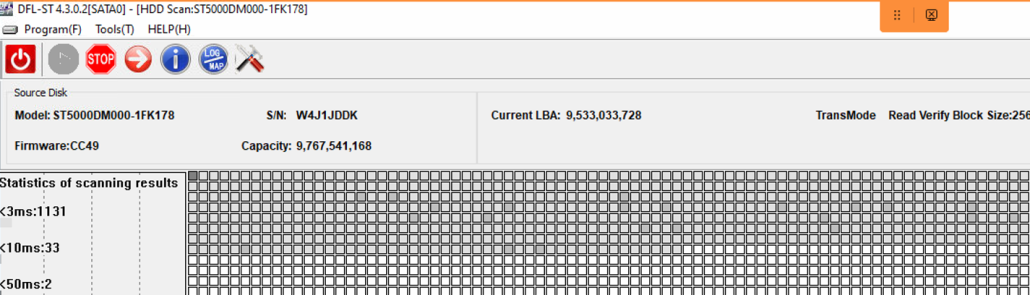
This is one successful Seagate ST5000DM000-1FK178 HDD Firmware Repair and Data Recovery case study from one user in Mexico.
Patient HDD symptoms:
01: Very unstable and keep reporting LBA read error;
02: Full disk bad sectors;
Patient HDD ID:
Model number-ST5000DM000-1FK178
FW: CC49
HDD Firmware Repair and Data Recovery Steps:
01: Backup patient HDD rom;
02: Generate unlock rom;
03: Write unlock rom, power off and on, send unlock key;
04: Backup important SYS35(NGlist);
05: Clear glist, view NGlist entries;
06: Regenerate translator;
07: Fix media cache and vacant actitive;
08: Power off and on and enter DFL-DDP data recovery software;
09: All lost partitions and folders are listed for immediate data recovery.
HDD Repair Tools and Data Recovery Tools Used:
DFL-Seagate hdd repair tool;
DFL-DDP data recovery tool
More powerful data recovery tools here.







Leave a Reply
Want to join the discussion?Feel free to contribute!