
Posts

H0041: software security check code and users need to generate one dongle upgrade file and email to the sales representative to get one licensed file, please download the software to do this one here;

H0027: this error code indicates the use of one unsupported remote support software ‘Remote Desktop’ to access the Dolphin DVR software remotely, users just need to change another remote support software to fix this issue;

Code 740: If users get this error code after installation, users just need to exit the program and re-open the software using ‘Run as administrator’ and this will help to fix the issue;

Code H007: USB hardware dongle is not detected, try to remove the dongle and insert it again or change one USB port to insert the dongle;

Code H0045: The PC system time was manually modified and users need to change the system time to the online time;

Code F7FFFFF: Need to connect to internet/online or users need to download Dolphin DVR offline version;

Code F5FFFFF: users need to upgrade the USB hardware dongle or need to connect to internet;

License upgrade file error 005: The licensed file was used already, users need to generate one new c2v file and get new v2c licensed file to import;

DVR software module can run while other software modules don’t run or if no software modules run: users need to install software running environment-vc_redist.x64-2015 and VC_redist.x64-2017, users can easily get them online or get from your sales representative;

Please note: Dolphin DVR doesn’t run on virtual machines and users need to avoid using Dolphin DVR on virtual machines.

This is one successful CCTV DVR data recovery case study from one new Dolphin DVR user in India.

Dear sir, madam,

Please help me to active DVR dongle.
It’s urgent. As it’s national holiday in China upto 7th.
But I have an urgent case to be solved.
Plsese help TODAY to active to business version.
I have the DONGLE

thank you

Veer TECHNOLOGIES

>
Thank you very much sir. For your support.
Software is working now.
Sir I recovered data also using the tool.
It’s amazing.
100 marks to dolphin dvr hdd recovery tool.

Thank you once again.

Dear Dolphin Team,

I hope this message finds you well. I am reaching out regarding your data recovery software, which I am considering purchasing to recover crucial data from a DVR HDD. My data is extremely important, and I need to be confident that your software can recover it accurately.

I recently tried the trial version, which was able to detect some data. However, I noticed that the dates shown are beyond the installation date of the DVR, which has left me concerned about the software’s accuracy and capability.

Given the importance of this data, I would greatly appreciate it if you could provide any insights or clarifications regarding this issue. Is this a common occurrence, or is there something I might have done incorrectly during the trial?

Additionally, I would like to request if there is a special or extended trial version that allows a more thorough evaluation, so I can be assured that the data I am looking for still exists on the DVR HDD before making the full purchase.

Thank you for your time and assistance. I look forward to your response.
Best regards,

To answer this client from Bangladesh:

To test fully if the Dolphin DVR data recovery software can recover the lost videos or not from your DVR drives, you need to download the latest DVR trial version here to get the latest dates of videos.

Hello,
We want to buy Dolphin DVR Recovery Pro Business Version. Our company is in Turkey. but Paypal payment method is not used in our country. Is there a different payment method available? Also is online licensing available?
With our regards,
>Users can buy Dolphin DVR from Dolphin reseller in Turkey:
DIFOSE (Turkey)

Addr.:Umit Mah. 2481. Sok. Kafkas Sitesi No:606810 Cankaya, Ankara, TURKEY
Contact: Sukru DURMAZ
Tel.: 90 312 219 56 16
Email: sd@difose.com.tr
Website: http://www.difose.com.tr
Users can pay by bank or western union. Dolphin team will ship one USB hardware dongle to users by DHL express, Fedex, EMS or other shipping methods.

Many new users wish to learn more about the features of Dolphin CCTV DVR data recovery software. Users can learn this actually by using the DVR recovery trial software.

Here is a proven list of Dolphin DVR features:

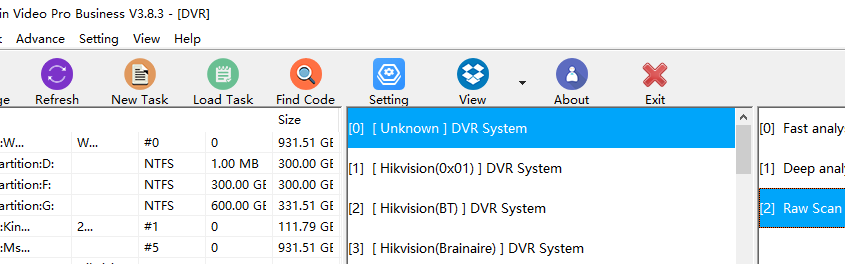
01: Dolphin DVR offers Fast Scan, Deep Scan and Raw Scan. Deep scan is to recover lost/deleted CCTV DVR videos, recover format/ dvr device initialized videos; Raw scan is mainly to list the videos for unknown CCTV DVR brands, Raw scan is mainly for test if the videos can be recovered or not from the unknown DVR brands;
02: Dolphin DVR has all-in-one video recovery and repair solutions, it contains not only CCTV DVR NVR HVR data recovery software, it contains also Digital Camera data recovery software, video recorder data recovery software and video repair software;
03: Dolphin DVR supports over 117 international CCTV DVR brands;
04: Support E01, DD Raw, IMG and other types of image files;
05: Recover lost videos from unknown digital cameras;
06: Recover lost videos from unknown video recorders;
07: Support digital forensic data recovery from CCTV DVR with many checksum options:
Real-time checksum options to select:
CRC16
CRC16-CCITT
CRC32
FCS16
FCS32
GHASH32-3
GHASH32-5
GOSTHASH
HAVAL-5-256
MD2
MD4
MD5
SHA1
SHA256
SHA384
SHA512
TIGER
08:Read-only/enable write-blocking as default setting;
09:H.263, H.264 and H.265 video codec support are supported;
10, Partition starting address auto detection is added, this one is very powerful for DVR drives suffering device initialization or format;
11, For any unsupported CCTV, DVR, digital cameras, video recorders, Dolphin engineers can add to support list in a very short time, all users need to do is to provide Dolphin team with one small image file of about 10G around;
etc…

Any question is welcome to sales@dolphindatalab.com or add Dolphin Skype ID: dolphin.data.lab

This is one 8TB WD82PURX-78GVLY0 DaHua DVR hard drive and the user couldn’t access this DVR drive in their DVR device and all videos were lost.

To recover all the lost valuable videos from this Western Digital helium DVR hard drives, the user selected Dolphin DVR data recovery software to recover the lost videos.

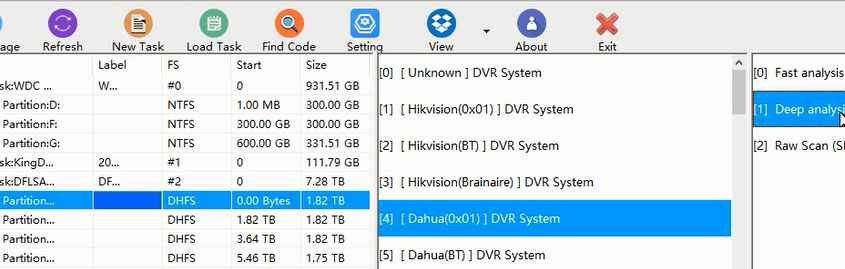
The user mount the DVR drive by DFL-SRP data recovery hardware to PC and the Dolphin DVR data recovery software detected the DVR drive and listed it, the user extended all the lost 4 partitions and recovered all the lost videos. Please note the user needs to select the partition one by one to recover.

Video Guide: WD82PURX 78GVLY0 DaHua DVR HDD Data Recovery Steps

Any question is welcome to sales@dolphindatalab.com or add Dolphin Skype ID: dolphin.data.lab

How to recover deleted videos from DJI Drones?
Dolphin DVR helps to recover lost videos from different Drone DJI models. The lost videos can be caused by accidental deletion, format or device initialization.

The following are the supported DJI models:

DJI Phantom 4
DJI P3X
DJI P3XW
DJI P4
DJI Lingmo Packet 2
DJI Avata
DJI Air2s Short
DJI Air2s Long
DJI Mavic 2 Pro
DJI Mavic 3
DJI Mavic 3 Pro
DJI OsmoAction3
DJI OsmoAction4
Other DJI Models are also supported for lost video data recovery.

Steps to recover lost videos from DJI drones/UAV

01: Select the DJI drone video storage SD card or image file;
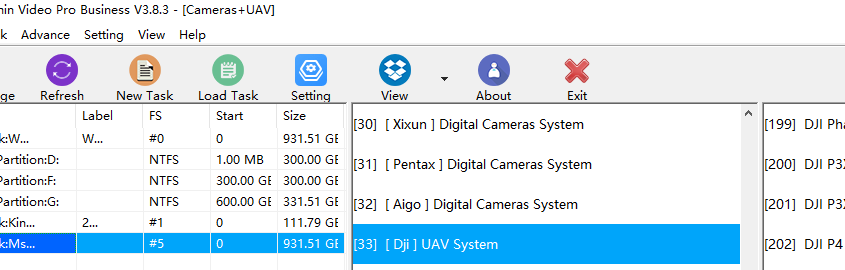
02: Select the DJI UAV system, models or unknown models;
03: Select video file type-MP4, MOV, 3GP, AVI;
04: Select video code type: H263, H264 or H265 and the Dolphin DVR software will start to recover lost videos from DJI Drones automatically.

Any question is welcome to sales@dolphindatalab.com or add Dolphin Skype ID: dolphin.data.lab

More and more data recovery engineers are using Dolphin DVR data recovery software to recover their lost valuable videos.

For some new users, they may meet one issue: when users are trying to open the CCTV/DVR data recovery module, digital camera recovery module, video recorder recovery module and video repair module, only CCTV DVR recovery module works but other modules keep silent and doesn’t respond. This issue is caused by the lack of software running environment below:

X64-VS2015-running-environment.zip
X64-VS2017-running-environment.zip

Users just need to download above files and install them on computers and then Dolphin DVR users can use all software modules successfully.

Any question is welcome to sales@dolphindatalab.com or add Dolphin Skype ID: dolphin.data.lab

Dolphin DVR offers very good options for users to set up one video recovery project:

01: Read-only/enable write-blocking as default setting;
02: Device name to check which device or image file is under progress;
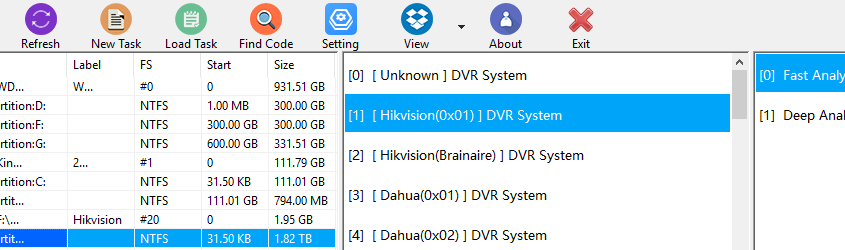
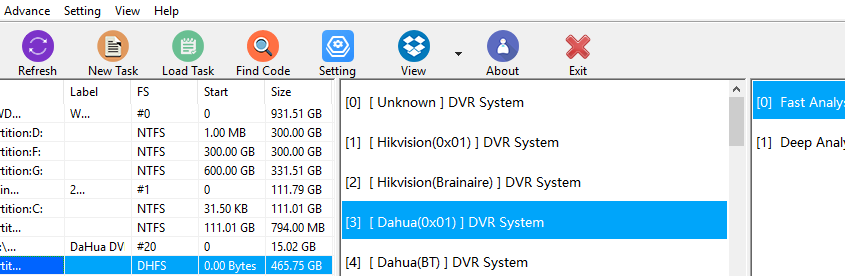
03: Video recovery mode: Fast analysis or Deep analysis;
04: Video file type to select to save all videos
DAV/MP4/AVI/MTS/h264/h265
05: Task path to select and task partition free space detection;
06: Start sector/end sector/block size to set to scan the lost videos and recover;
07: Set year range to list all available videos;
08: Set log record number to display;
09: Set video file size to scan and recover;
10: Real-time checksum options to select:
CRC16
CRC16-CCITT
CRC32
FCS16
FCS32
GHASH32-3
GHASH32-5
GOSTHASH
HAVAL-5-256
MD2
MD4
MD5
SHA1
SHA256
SHA384
SHA512
TIGER

Any question is welcome to sales@dolphindatalab.com or add Dolphin Skype ID: dolphin.data.lab

Dolphin Data Lab has upgraded the latest CCTV DVR data recovery software to version 3.78.

The following are new features of the latest Dolphin DVR V3.78.

H.263 video codec support is added(H.264 and H.265 are supported in previous versions );

Newly added digital camera video recovery support for video fragmented files scan and restructuring:

Canon EOS 7D
Canon EOS C70
Canon EOS R6m2
Canon EOS R7
Canon PowerShot S95
Canon PowerShot SX60 HS
Canon PowerShot SX240 HS
Canon PowerShot SX410 IS
Canon PowerShot SX720 HS
Canon PowerShot SX730 HS
Canon EOS 90D H264 video codec support;
Canon EOS R6 H265 video codec support;
Canon PowerShot G7X MARK II H264 video codec support;

CASIO EX-Z1200
DSMC2 GEMINI 5K S35
KODAK C813 ZOOM
KODAK CX6330 ZOOM
KODAK PIXPRO AZ901

Nikon E5900
Nikon 1 J1
Nikon D4
Nikon D610
Nikon Z 7_2
Nikon Z 8
OLYMPUS SP510UZ
Sony ILCE-7S

MATEGO car driving video recorder

Nikon D3200 H264
Nikon D7000 H264
Sony FDR AX40 H264
Sony ILCE 7SM3 H264
Sony ILCE 6300 H264
Sony ILCE 6400 H264
Sony ILME FX3 H264

Newly improved DVR video scan and restructuring support:

DAHUA(BT)
Hikvision Brainaire

Any question is welcome to sales@dolphindatalab.com or add Dolphin Skype ID: dolphin.data.lab